
Quote new, used or both
Let the customer choose new or used line by line.
Price is often the deciding factor between new and second-hand racking, and the customer is the best judge of it. With a New and used quote you recommend a condition for each line and the customer switches lines between new and used on their online proposal, watching the total change.
You stay in control: lock any line that must be supplied as recommended, such as new frames for a high-bay run.
Step 1: Give items a used price
Only items with Used ticked and a used sell price can be quoted used. Set them up on the price list first. See Used pricing and stock.
Step 2: Choose the supply when you generate
In Generate quote, choose the Supply:
- New: every line priced new.
- Used: items with used pricing are quoted used; any stock shortfall is supplied new. The customer has no choice.
- New and used: the customer chooses per line on their proposal.
Step 3: Recommend new or used on each line
On the draft, the Condition column shows a New / Used toggle on each line that can go either way, with both prices underneath, for example new $6,880.00 · used $4,300.00. Lines start recommended used; click to change. The draft reprices on each click.
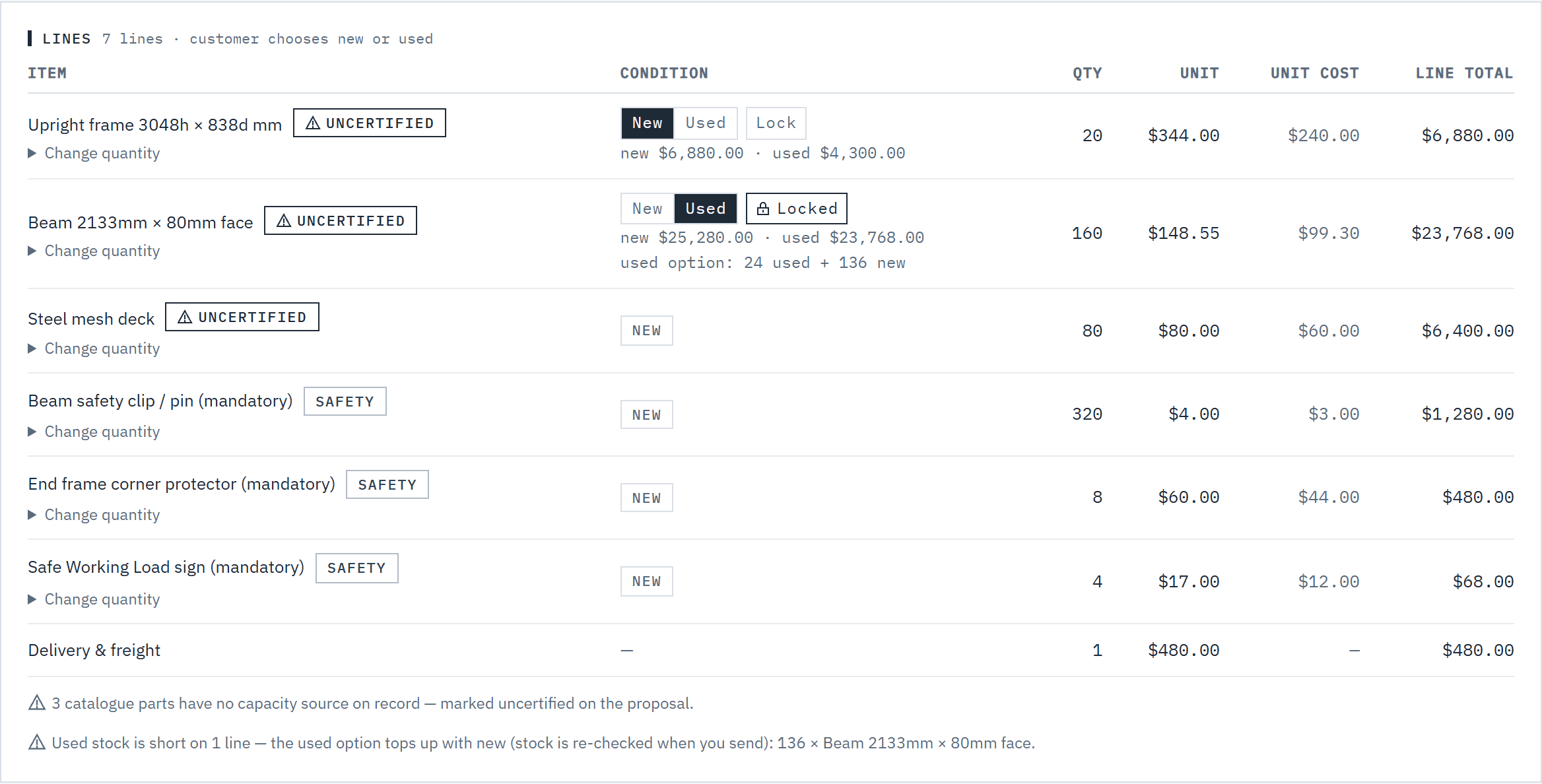 (opens full size in a new tab)
Recommend new or used on each line, and lock a line when the customer shouldn't change it. Step 4: Lock lines that mustn't change
Choose Lock on a line and it reads Locked: the customer sees it marked Fixed and can't switch it. Click again to unlock. After sending, each line reads locked by you or customer can switch.
Step 5: Send, and let the customer choose
Send the quote as usual. On their proposal, the customer uses Choose new or used to switch each open line, or the quick buttons All new, Used where available and Recommended. The total and the difference against your recommendation update as they go. See What your customer sees.
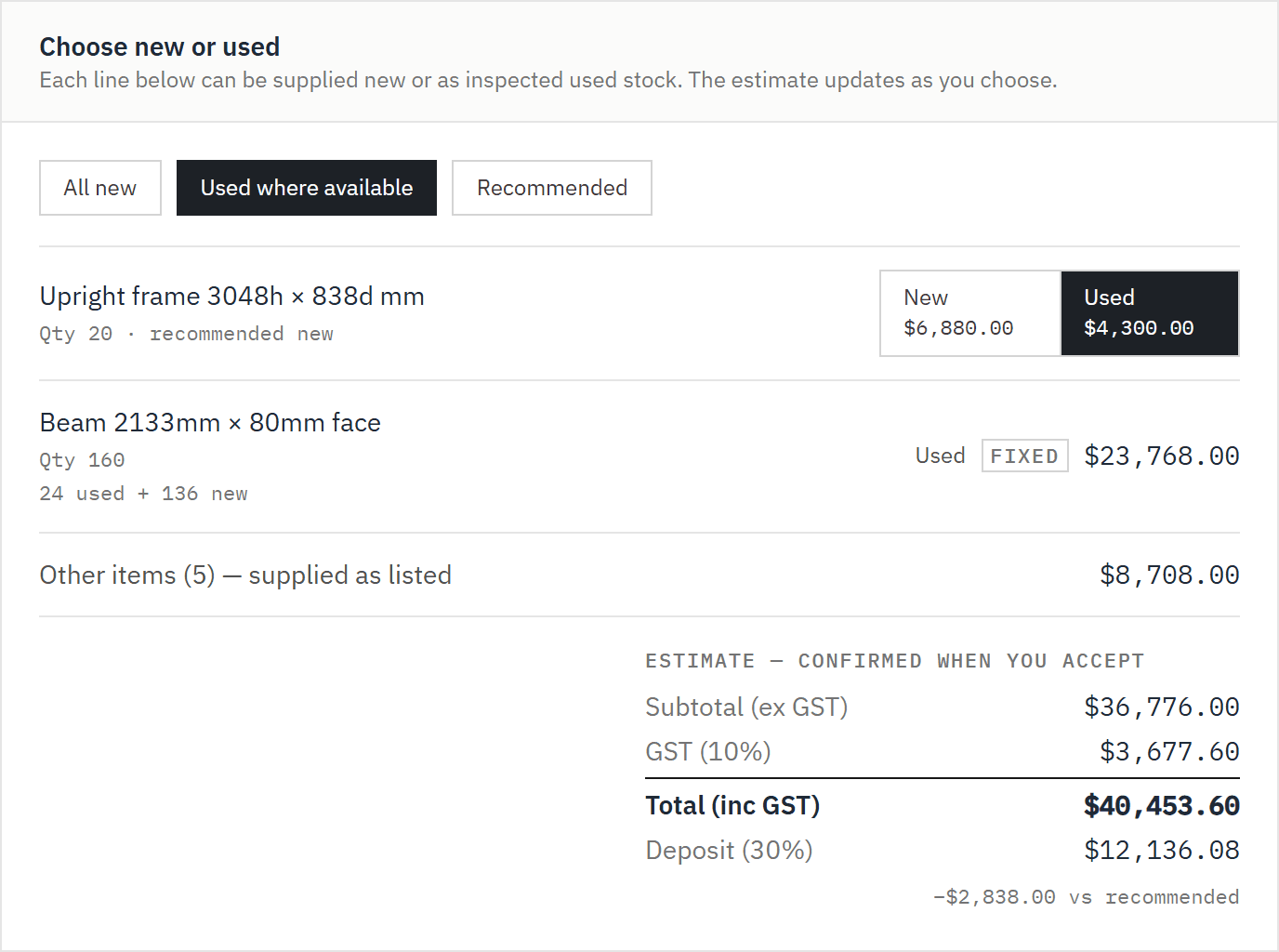 (opens full size in a new tab)
On the portal the customer switches lines between new and used and sees the total change live.
Good to know
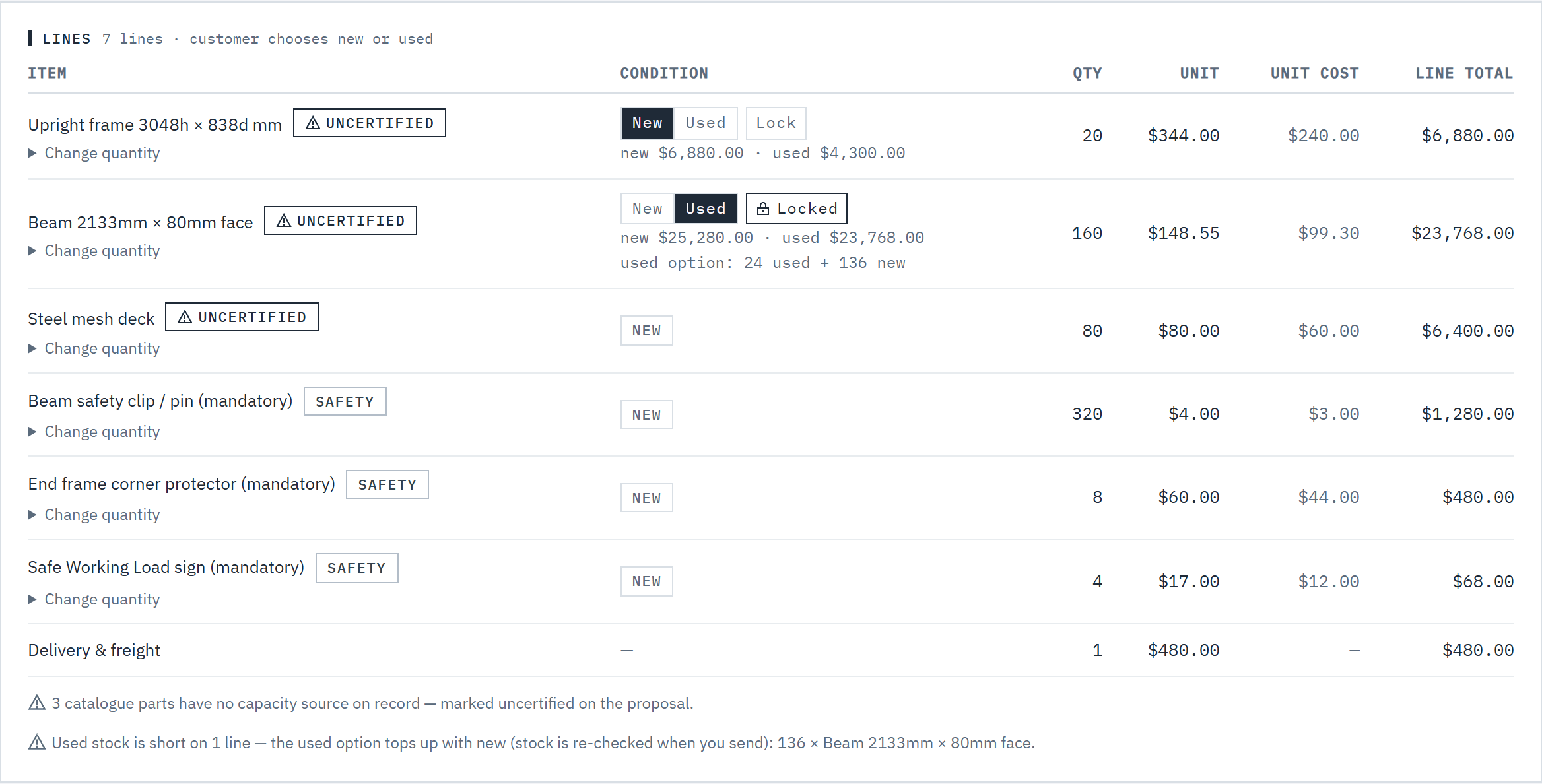
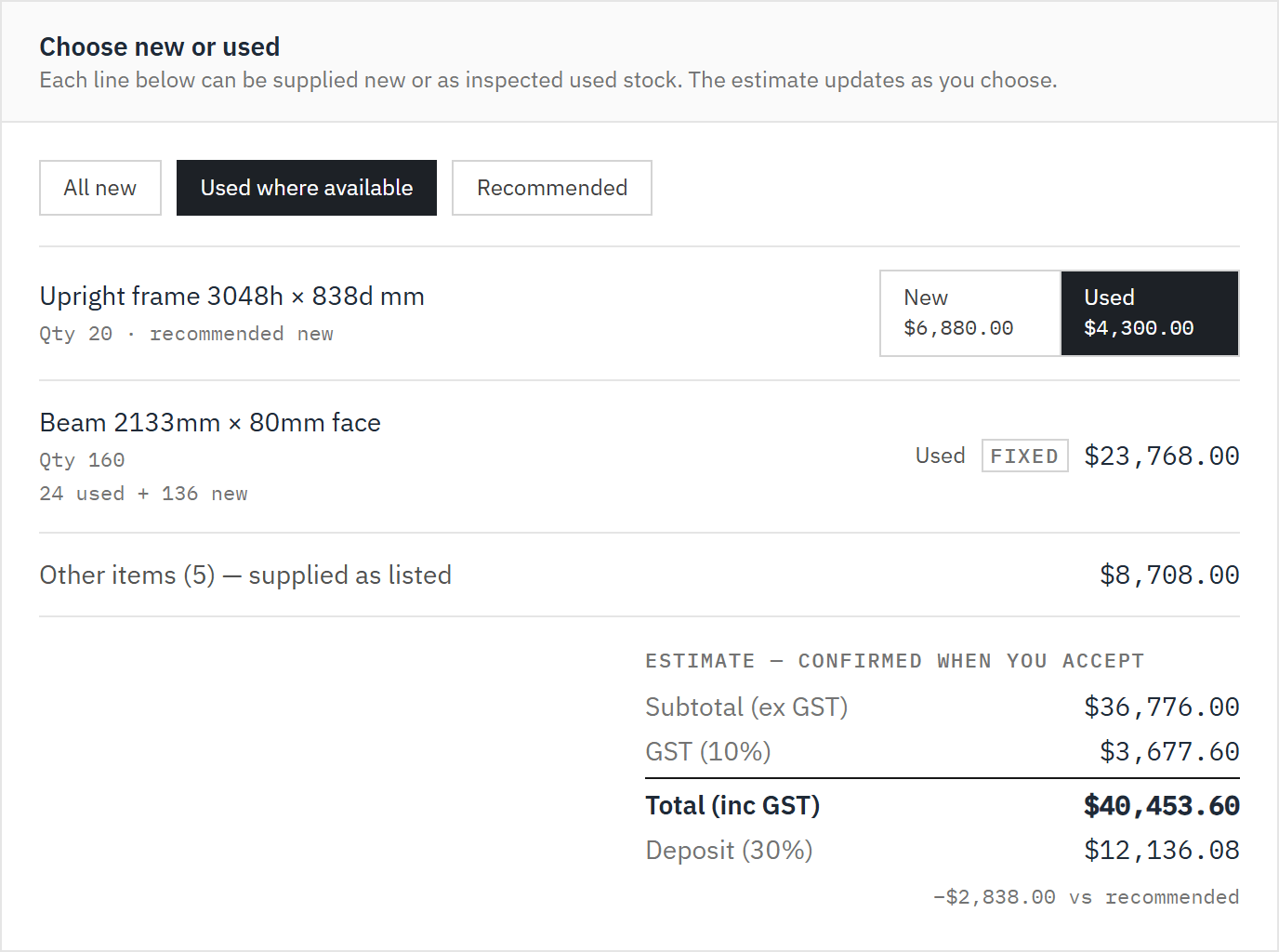
- Used stock is checked on every pricing and again when you send. If a tracked item is short, the used option becomes a mix, for example 24 used + 136 new, and the draft warns you. With none in stock the line is supplied New (no used stock) with no choice.
- Manual-rate parts, installation and delivery are always new and never switchable. They're listed on the proposal as supplied.
- The customer's choice is an estimate on screen. The final price is recalculated on the server from the sent quote when they accept.
- A discount applies to whatever the customer chooses: the chooser's totals include it. Once the discount's end date has passed, the chooser and the accepted total are at the full price. See Discounts and end dates.
- Nothing is reserved when you send. Used stock is drawn down when the quote is accepted, for the lines the customer took used.
- If your workspace tracks new stock and an option would have to be ordered in, the proposal tells the customer how many business days to allow if they choose it. See New stock and lead times.
- Further reading: the SafeWork NSW pallet racking fact sheet, and WorkSafe Victoria's pallet racking operation and maintenance guidance. They're written for the businesses that run racking, and are worth passing on to your customers.
Related articles
- What your customer seesThe online proposal, chat, and accepting with a confirmation code.
- Create and send a quoteGenerate, review and send a priced, branded proposal.
- Used pricing and stockOffer used equipment alongside new, and count the stock you hold.
- Price your rackingCost, sell and margin, lead times, and editing prices in Excel.