
Correct a stock movement
Put right a receipt, count or write-off recorded wrongly, or return sold stock.
The stock ledger is never edited. When a movement was recorded wrongly — ten frames received when eight arrived — you correct it: Baylogik adds a Correction movement, marks the original as corrected, and keeps both.
That way the ledger always shows what was recorded, what was put right, who did it and why.
Step 1: Find the movement
Open the item from Inventory. If it is held new and used, pick the Used or New tab. In the Stock ledger, a movement that can be corrected has Correct; a sale has Return to stock.
Step 2: Enter what it should have been
Choose Correct. The dialog shows the movement and asks what it Should have been: the units received or returned, the units written off, or, for a count or an import, the change it should have made. Enter 0 to reverse it completely. Give a Reason, check the on-hand preview and choose Save correction.
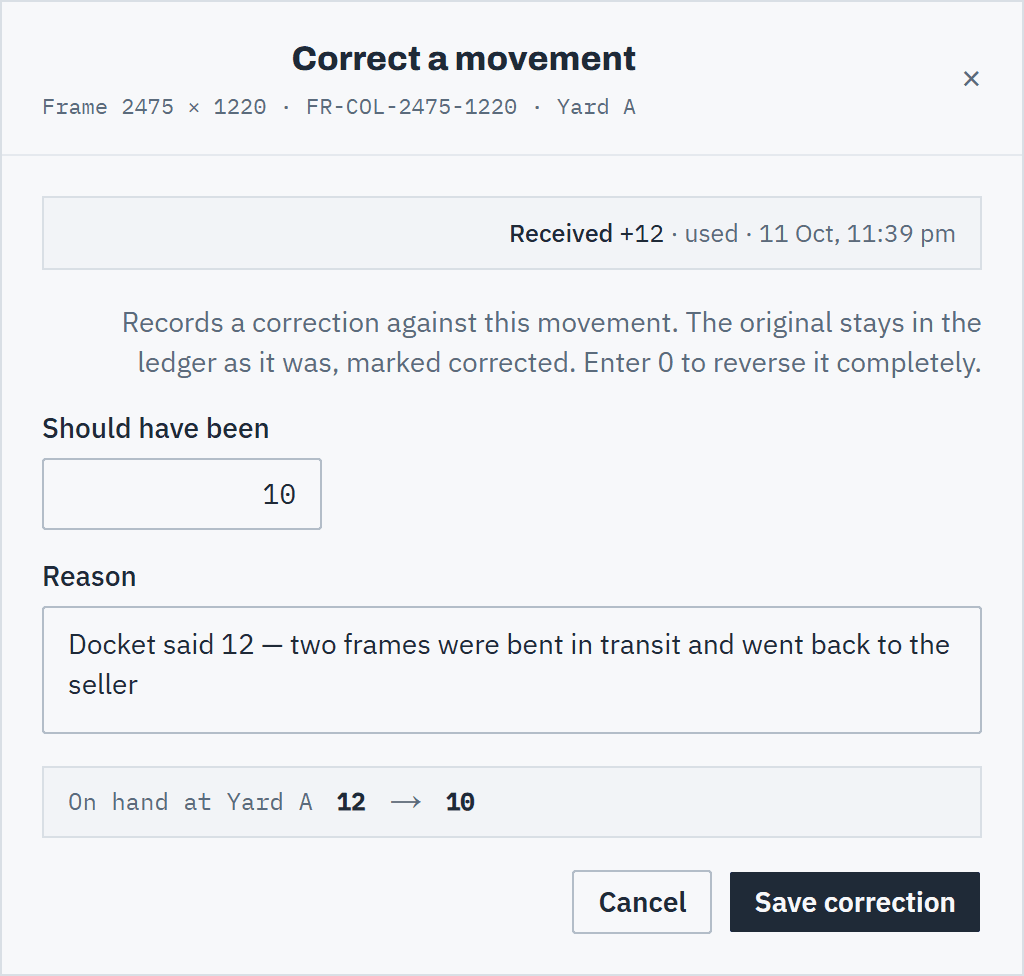 (opens full size in a new tab)
State what the movement should have been; the original stays in the ledger. Step 3: Return sold stock
For goods that came back or were never collected, choose Return to stock on the Sold row and enter how many to put back, up to what the sale took. The units go back on hand where they came from; the sale stays recorded as it was.
Step 4: Check the ledger
The original row is greyed out and reads corrected, with the change and the date. The Correction row names the movement it corrects. Owners, admins and finance also see each correction in the Activity log, under Inventory.
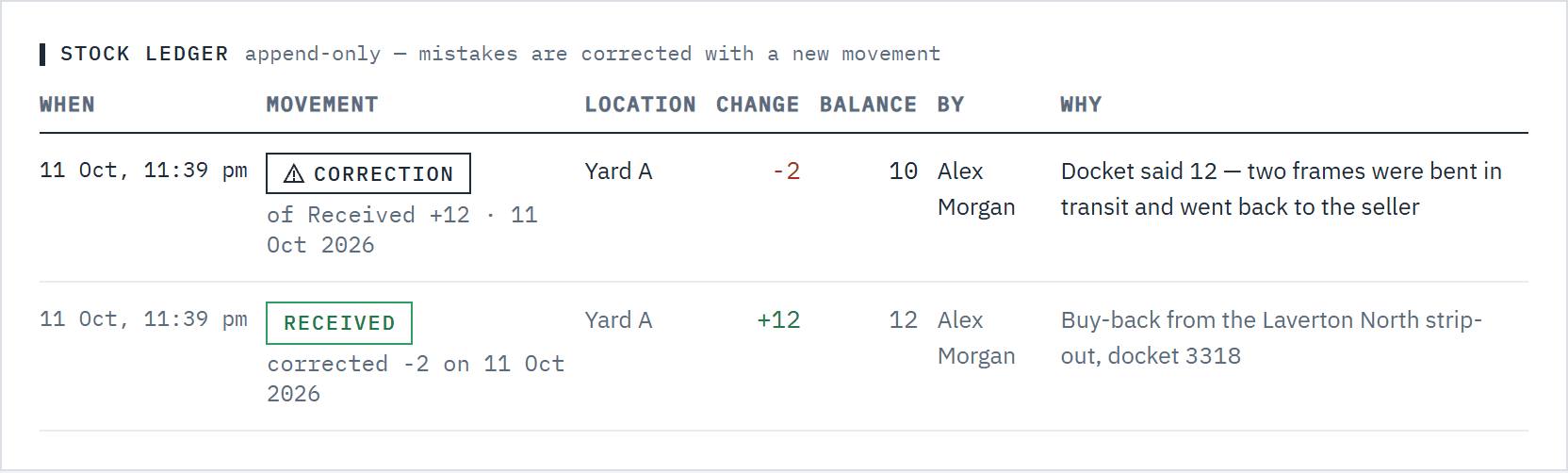 (opens full size in a new tab)
The original and the correction both stay in the ledger, with who made them and why.
Good to know
- Each movement can be corrected once, and a correction can't itself be corrected. If the count is still wrong after that, use Count on the location's row. See Stock locations, transfers and counts.
- A correction keeps the movement's direction: a receipt can't become a removal, and a write-off can't add stock. To turn an increase into a decrease, reverse it to 0, then count.
- Transfers aren't corrected. Transfer the stock back instead.
- A correction can't take a location below zero. If some of the stock has already moved on, correct what is left or count it.
- A correction lands at the movement's own location. If that location is archived, restore it before putting stock back there.
- Owners, admins and warehouse members can correct movements, and a reason is always required.