
Help centre
Help centre
How Baylogik works, step by step: from a new workspace to a quote your customer accepts online.
14 screens · at your own pace
Watch the demo
Click through real screens, from an empty chiller dock to an accepted quote with used stock drawn down. No sign-up, go at your own pace.
32 articles
Getting started
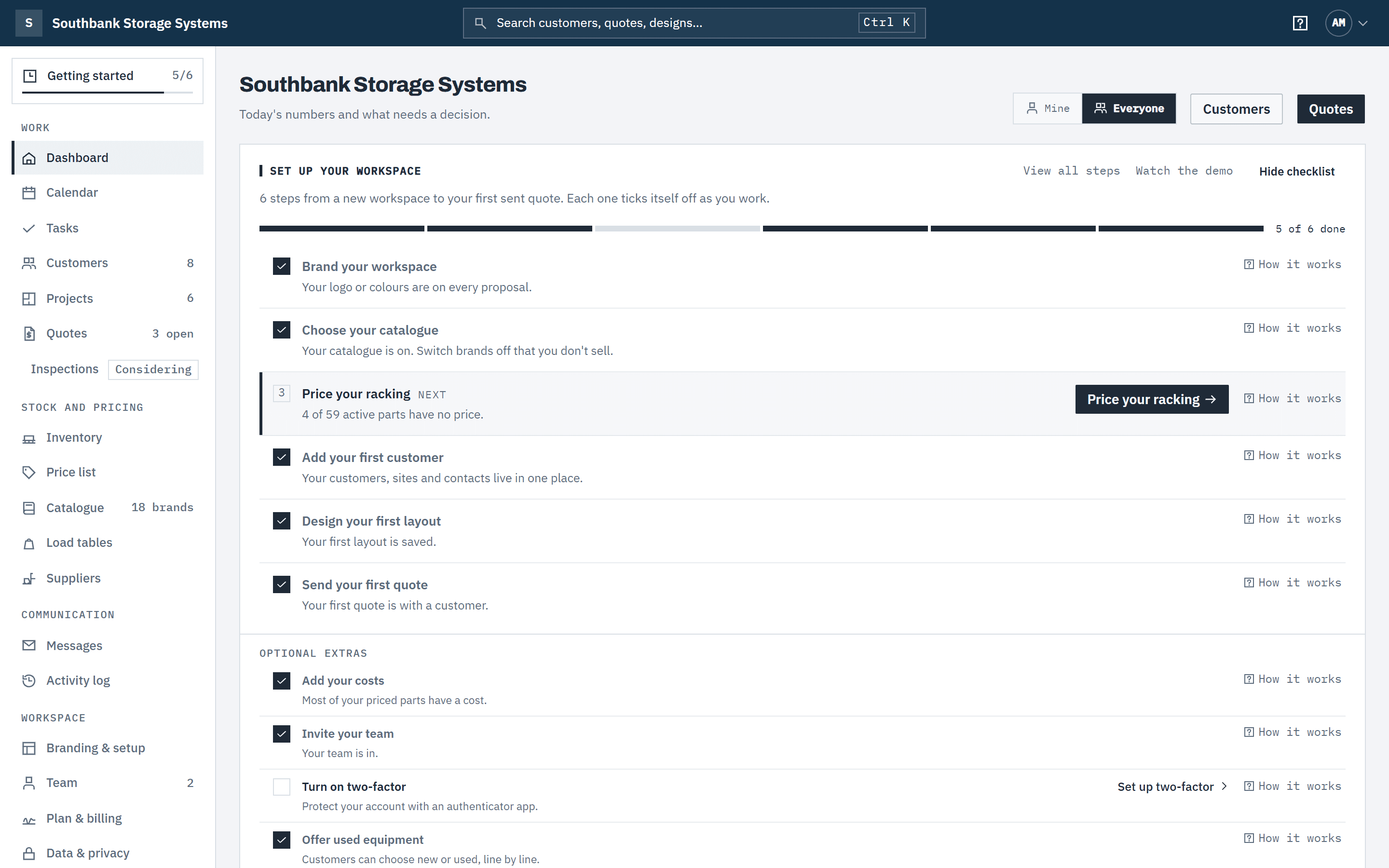
- Getting startedThe steps from a new workspace to your first sent quote.
- Take the interactive tourThe guided tour of your workspace, the top bar, and a click-through of Baylogik from room to signed quote.
- Feature requests and problem reportsWhat's new, requesting and voting for features, and reporting a problem.
Set up
- Brand your workspaceLogo, colours and the proposal your customers see.
- Choose your catalogueEnable the brands you sell, and add your own frames, beams and services.
- Your own load tablesEnter manufacturers' load tables with their source and date, so your parts are rated from them (Team).
- Price your rackingCost, sell and margin, lead times, and editing prices in Excel.
- Import a supplier price fileUpdate prices and supplier costs from a supplier's CSV or Excel file, with a preview and undo.
- SuppliersYour vendors and distributors: their codes for your products, their costs, and which one sets your prices.
- Tax and currencyPick your country for GST or VAT and your currency, or set your own rate.
Stock
- Used pricing and stockOffer used equipment alongside new, and count the stock you hold.
- Stock locations, transfers and countsHold stock in yards, stores and vans, move it between them and count it.
- Correct a stock movementPut right a receipt, count or write-off recorded wrongly, or return sold stock.
- Import and export stockCount stock in a spreadsheet and load the counts back, with a review first.
- New stock and lead timesCount new stock and tell customers how long ordered-in items take.
Customers and sales
Design and quote
- ProjectsFind a job, see its layout and quotes, and open it in the designer.
- Design a layoutRooms, racking choices, walkways and the 3D view.
- Doors, exits and docksMark exits, docks and stairs in the warehouse designer, and read the route checks.
- Create and send a quoteGenerate, review and send a priced, branded proposal.
- Discounts and end datesGive a quote a discount, set the day it ends, and what happens after that.
- Quote new, used or bothLet the customer choose new or used line by line.
Day to day
- Your dashboardQuote health, what needs a decision today, and your tasks for the week.
- Tasks and follow-upsGive each follow-up an owner and a due date, and record what was done.
- The calendarTasks, quote expiry, deliveries, installations and price changes by day, week or month.
- Subscribe to your calendarSee your Baylogik dates in Google Calendar, Outlook or Apple Calendar.
Team and security
Plans and billing
Latest: 1.39.0 · Doors, exits and docks
Release notes
What changed in each Baylogik release, in plain English.
Can't find it?
Tell us what you were trying to do. We reply within one business day.