Only what fits.
Everything below exists because a racking quote has to survive contact with a real warehouse. No feature is decorative.
Watch the demo — a click-through of real screens, no sign-up.
Designers
Container and warehouse, from one catalogue
- Storage container designer: walls, back runs, islands, per-bay shelf levels, walkway presets for a person, trolley or pallet jack.
- Warehouse designer (beta): multi-row floor planning, cross-aisles, per-wall setbacks, aisle widths by handling equipment, levels set bay by bay or row by row, and pallets on the floor.
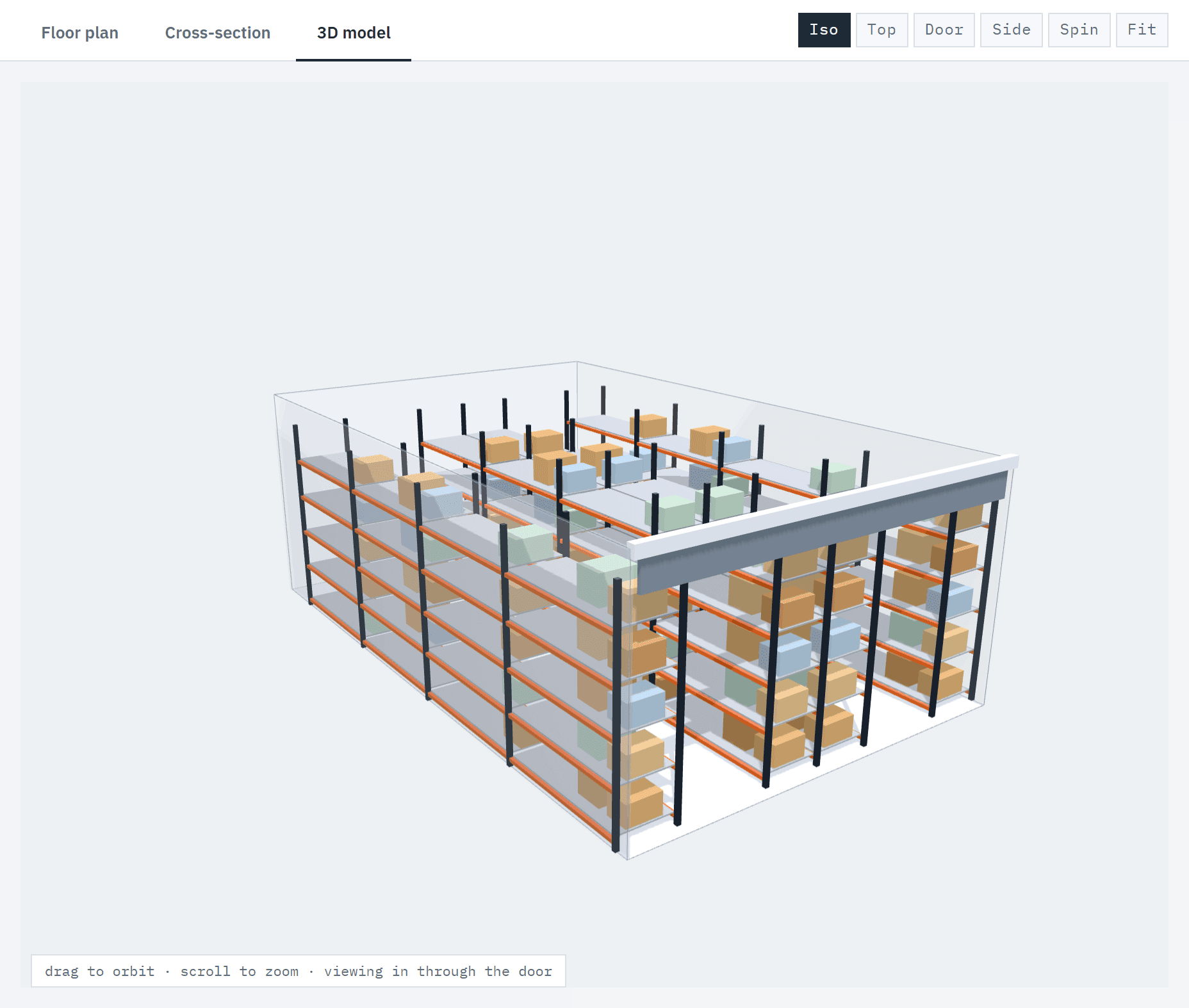
- Floor plan, cross-section and an interactive 3D model — camera presets included, fit warnings live as you type.
- The container designer hides parts that don't fit the room, with a count — a 2600 mm ceiling never offers a 3660 mm frame. The warehouse designer marks a frame taller than the clear height and warns.
Catalogue
Real parts, honest capacity
- Dexion, Colby and Schaefer ranges loaded, with compatibility groups. Mixing brands in a bay raises a non-OEM warning in the designer; parts with no shared group can't be combined.
- Where a manufacturer's capacity figure is loaded, it shows with its source. Where it isn't, the part says not certified — capacity is never worked out from dimensions.
- Enable the brands you sell, switch off products you don't stock, and add your own frames, beams and services under your own brand label — on every plan, in both designers.
- On Team, enter your manufacturers' load tables with their source and date. A part is rated from the exact tabulated row or the next more conservative one — never interpolated — and the proposal says whose data it is.
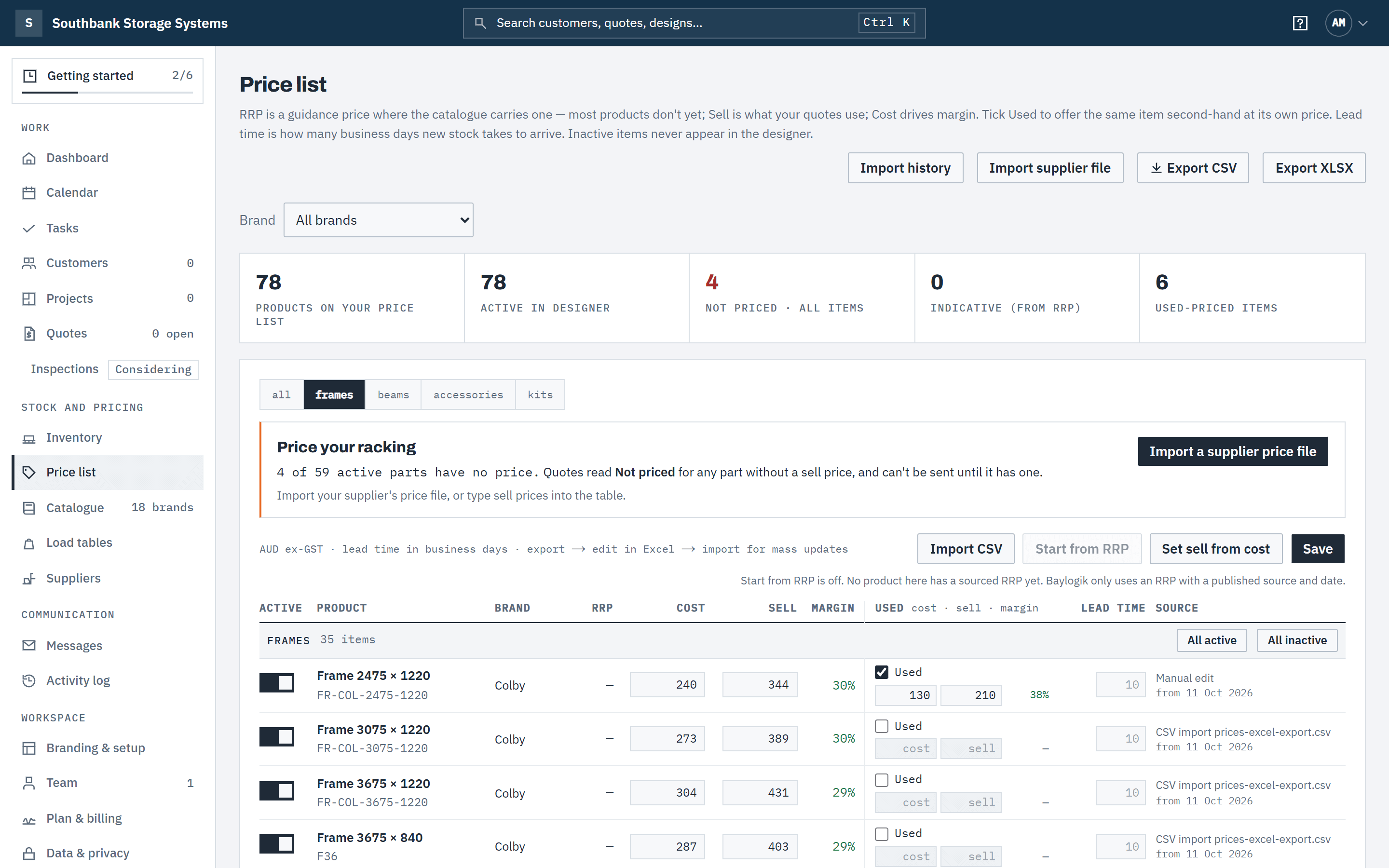
- Your price list is yours: cost and sell per part, effective-dated. Import your supplier's price file — common headings recognised, every change reviewed before it applies.
Quoting
From design to signed, without retyping
- Quotes are priced on the server from your live price list — totals in the browser are estimates until then.
- Sequential numbering per business, deposit and validity, with tax set by country — GST for Australia and New Zealand. Sent quotes lock; corrections become new revisions, and earlier versions of a draft can be restored.
- Mandatory safety items (beam clips, SWL signs, corner protectors) are counted from the layout and added to every quote by default. You manage them in your catalogue settings.
- Give a quote a discount with an end date. After it, the customer sees and accepts the full price.
- Your customer gets a branded link: they open it (you see viewed), turn the layout in 3D, ask questions in the chat, and accept online with a six-digit code from their email.
- Baylogik doesn't engineer or certify racking, and every proposal says its layout is for quotation only, not an engineered design. Engineering sign-off, capacities and load signs stay with the manufacturer or your engineer.
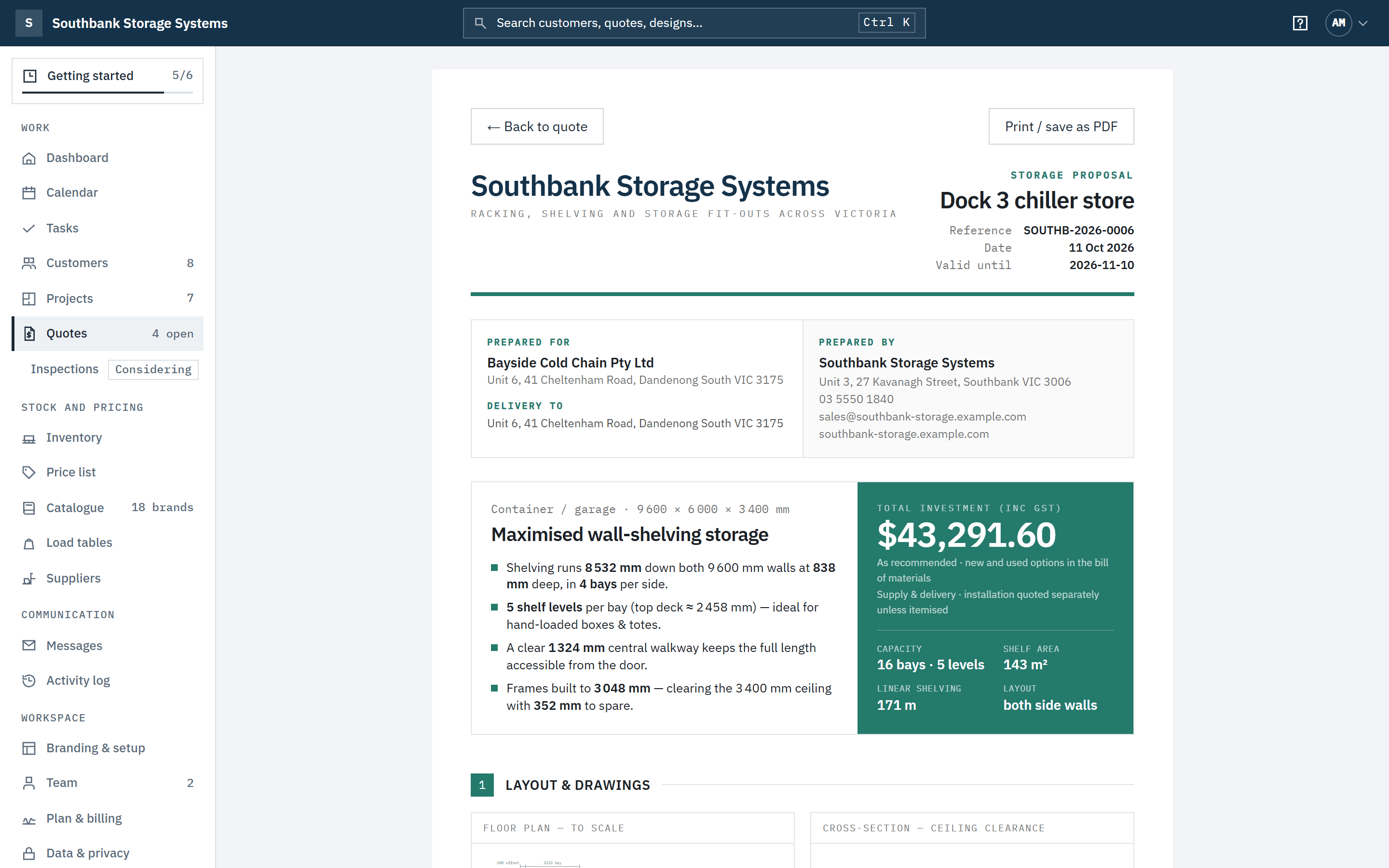
Used equipment
New and used on one quote
- Give any part a used price alongside new, with its own margin.
- Quote new, used, or let the customer choose line by line. Lock the lines that must stay as recommended.
- Track new and used stock by location, with lead times for what has to be ordered in. Quotes offer used only up to what's on hand; the shortfall is supplied new.
- Stock comes off when the customer accepts, on an append-only ledger linked to the quote.
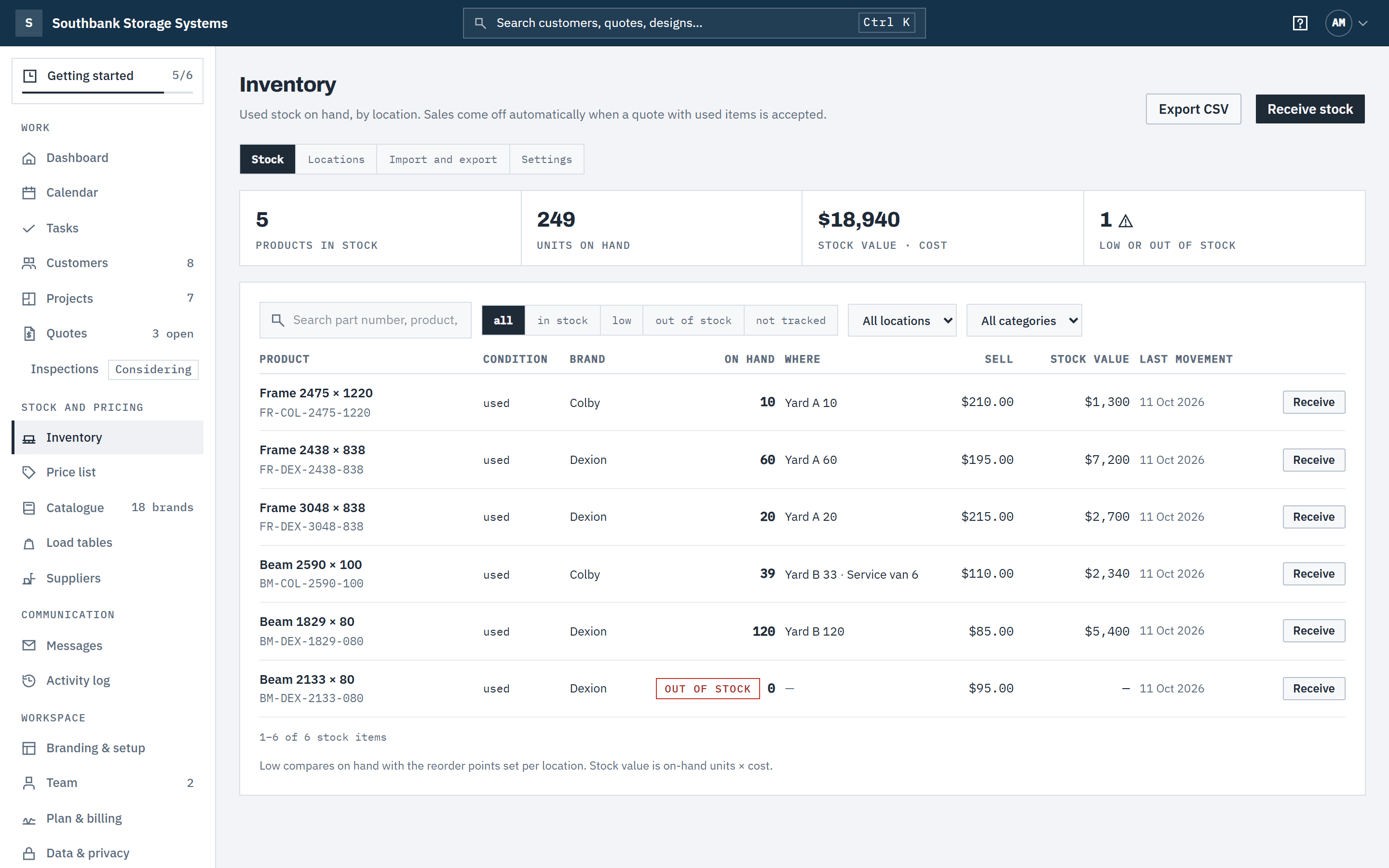
Running the business
The record-keeping a trade business needs
- Customers with multiple sites and contacts, owners, tags and a full activity history.
- CSV import for an existing customer book — matched by ABN, previewed before anything is written.
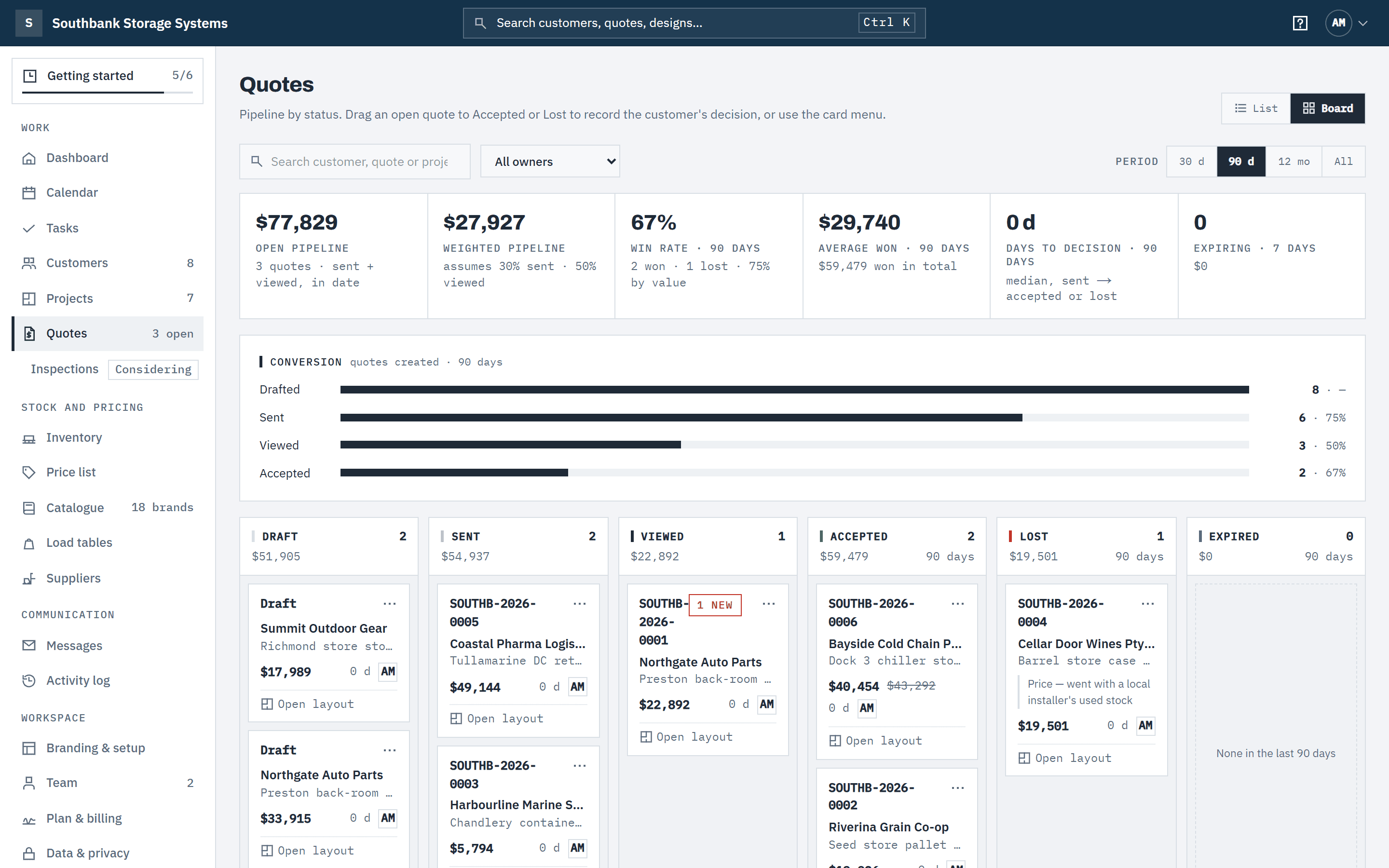
- Pipeline board with open and weighted value, win rate, days to decision and quotes about to expire. Every change is in the audit trail.
- Six roles: Owner, Admin, Estimator, Finance, Warehouse and Read only — estimators never see your costs. Two-factor sign-in, and a switch to require it.
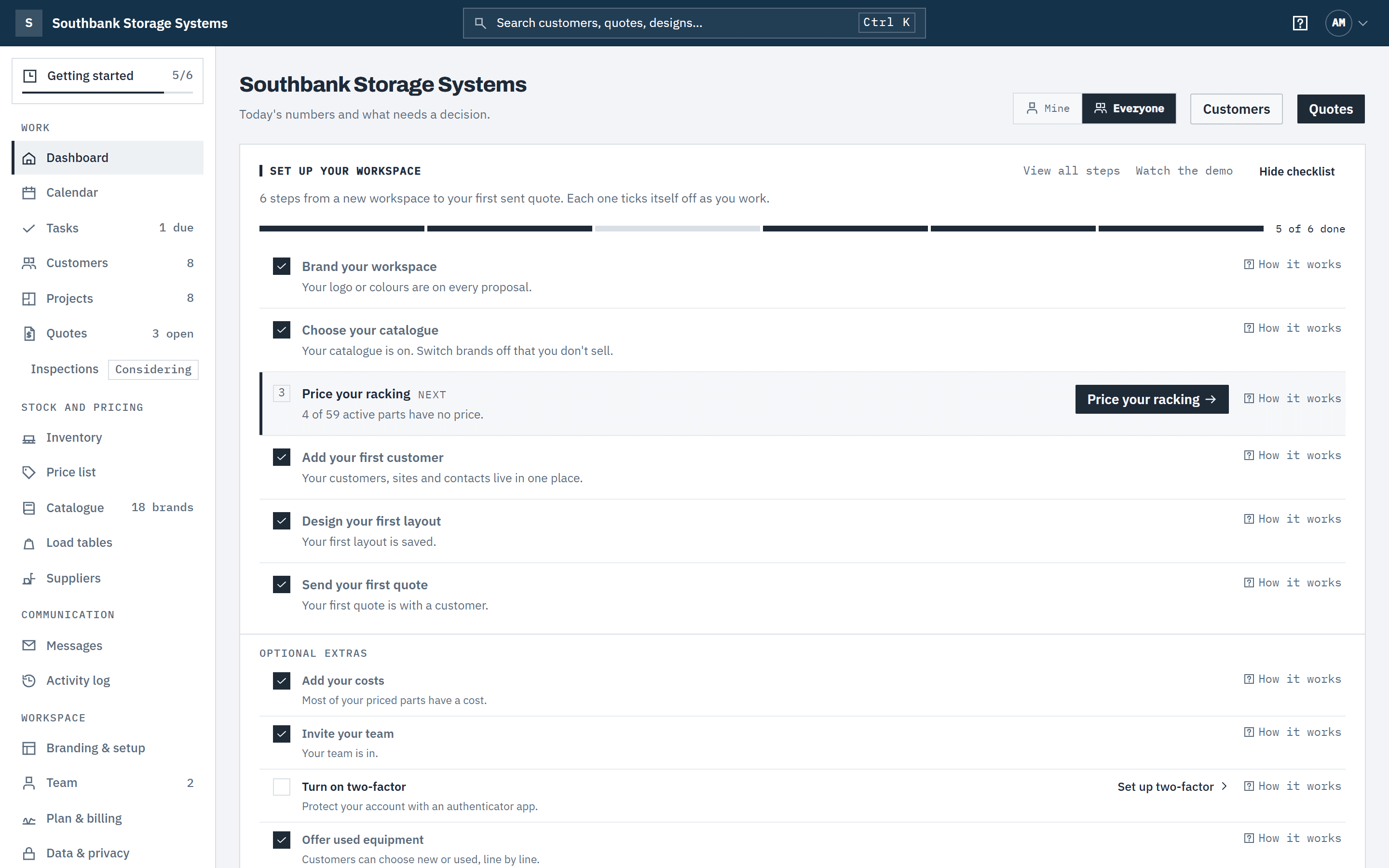
- Tasks with owners and due dates, and a calendar of follow-ups, quote expiry, deliveries and installations.